

Curious if you can complete the entire account setup before you land? Many professionals, students and non-residents now expect a simple digital route. This guide explains what remote opening means in practice and how to prepare.
Remote opening means applying, passing identity checks and activating an account through a bank app or online flow, rather than in a branch. OCBC and others let foreigners finish verification using a biometric e-passport and ID in their digital app.
This short guide previews the exact steps you will follow: choose a provider, check eligibility, prepare documents, apply via an app, verify ID and activate with a deposit and card setup. Requirements vary by provider and some routes depend on nationality or residency, so choose wisely.
We cover major providers (DBS, OCBC, UOB, HSBC) plus digital alternatives like Aspire and Airwallex. Banks must verify identity to meet regulatory standards and may ask for extra information, which can affect approval time.
What to have ready: passport, proof of status if applicable, proof of address and a phone number. With these to hand, the opening process is far smoother.
Key Takeaways
- Remote applications let you complete the main steps before arrival.
- Different providers and routes suit different nationalities and needs.
- Prepare passport, proof of status, address and phone to avoid delays.
- Major banks and fintechs offer digital verification via an app.
- Regulatory checks may require extra documents and extend processing time.
Why open a Singapore bank account remotely in Singapore today
A local banking relationship unlocks practical services you will use from day one.
Everyday convenience. A local account lets you receive salary credits, pay monthly bills and make FAST or PayNow-style transfers. It centralises balances and transactions so you can track spending and plan cash flow quickly.
Smoother onboarding. Employers, landlords, schools and telcos often prefer local payment details. Having a stable account reduces delays when setting up salary, recurring payments and direct debits.

When remote opening suits you. It helps travellers still overseas, busy professionals, and students arranging funds before term starts. New arrivals gain immediate access to core services and can manage finances on arrival.
Digital onboarding benefits. Identity checks can be completed at home, speeding approval and giving early visibility of account setup. Mobile-first apps let you view balances, make payments, exchange currency and move money between accounts.
Security note: Digital routes still use formal identity verification and risk checks to protect privacy and reduce fraud. Choose providers by features — multi-currency, fees and card access matter — and consider the OCBC Digital app for a robust set of services: OCBC Digital app.
Eligibility rules and account options for foreigners
Know the criteria banks use for foreign applicants to choose the best account. Most providers set clear baseline requirements. These usually include a minimum age of 18, a recognised passport and proof of legal status or local contact details.
Residency and nationality matter. Some digital routes accept specific e-passports (for example OCBC permits e-passports from Hong Kong, Malaysia, Indonesia and mainland China). Other providers restrict app-based onboarding by residency or existing relationships.
Which accounts suit different needs
Choose by use case, not brand alone. A savings account suits everyday balances and modest interest. Current accounts handle frequent payments and payroll. Multi-currency accounts help travellers or those with overseas income.
Investment-linked options are for longer-term goals and may require higher deposits or additional checks. Match the product to plans to avoid fees or transfers later.
When a branch visit may still be required
Visits happen when documents are missing, names or addresses do not match, or a profile flags higher risk. Some passports and residency statuses simply cannot use app onboarding.
- Missing local address or contact details
- Incomplete identity or legal-status documents
- Higher-risk compliance checks
| Issue | Why it triggers a visit | How to avoid it |
|---|---|---|
| Unverified address | Banks need a local contact for verification | Provide a valid tenancy, utility bill or employer letter |
| Unsupported passport | App routes accept only certain e-passports | Choose a provider that supports your nationality or use a branch |
| Incomplete identity match | Name or document mismatch delays checks | Ensure all forms match passport formatting exactly |
Risk note: Banks may request extra checks even after a digital start, so remote completion is often possible but not guaranteed.
Next step: Preparing documents is the biggest controllable factor for speedy approval; the following section lists exactly what to have ready.
Required documents to prepare before account opening
Gathering the right documents before you start makes the verification step faster and less stressful.

Proof of identity: passport and biometric e-passport checks
Your passport must be valid and cleanly photographed or uploaded. Banks often ask for a clear image of the ID page during the application.
Biometric e-passport checks use a passport scan, a selfie and liveness prompts. Follow in-app guidance to avoid retries.
Proof of legal status: Employment Pass, S Pass, Student Pass or LTVP
Provide the relevant pass if you hold one. Banks require this proof to confirm eligibility and meet regulatory requirements.
If you have pending paperwork, inform the provider — some digital routes accept temporary evidence but may delay approval.
Proof of address: acceptable documents for a local residential address
Common proofs include a recent utility bill, phone bill, bank statement or government-issued letter showing your name and address.
Names must match passport formatting. If you are a new arrival with no local address, expect stricter checks or the need for alternatives.
Extra paperwork some banks may request
- Tax residency/self-certification forms for compliance.
- Employment proof such as an offer letter or payslip for higher-volume applications.
- A letter of introduction from an existing institution in specific cases.
Scanning and upload tips: use colour photos, avoid glare, show all corners, and keep document details consistent across submissions.
- Pre-submit audit: check passport expiry, name formatting, address match and image clarity.
- Attach all required documents in one go to reduce back-and-forth.
- Keep digital copies ready for quick upload during the application.
| Required document | Why banks ask for it | Typical examples |
|---|---|---|
| Proof of identity | Verify legal identity and prevent fraud | Passport ID page, biometric e-passport scan |
| Proof of legal status | Confirm eligibility to hold an account | Employment Pass, S Pass, Student Pass, LTVP |
| Proof of address | Provide a local contact and validate residence | Utility bill, phone bill, bank statement, govt letter |
| Supplementary documents | Support risk checks and tax compliance | Tax residency form, payslip, letter of introduction |
How to open singapore bank account without visiting using bank apps
Follow this step‑by‑step checklist to finish an app‑led opening from home or before travel.

OCBC Digital app route
Quick path: download OCBC Digital → tap “Sign up” → choose “Foreigner with e‑passport”.
Have your biometric e‑passport and an ID card ready. Use a plain background and steady lighting for the passport chip and selfie scans.
Remote onboarding can finish before you arrive, where eligible. Once live you get mobile balances, payments, transfers and FX via the app.
HSBC Singapore app route
Eligible applicants (no existing HSBC SG accounts) can apply for an Everyday Global account via the HSBC app.
Two routes: Myinfo (faster) requires a passport image upload for foreigners. HSBC EasyID is document‑led: prepare the original passport plus proof of latest address showing a Singapore residential address.
Note: some residencies are excluded from app enrolment and will need bank contact to proceed.
What to expect during digital verification
Expect a selfie/liveness check, a document scan and automated matching of passport details. Typical delays occur from poor scans, mismatched names or unsupported passport chips.
- Keep scans clear and all names exactly as on the passport.
- If asked, upload supplementary proofs promptly to reduce pauses.
Activation essentials and troubleshooting
After approval, you may need an initial deposit to activate the account and choose card delivery or enable a digital card for instant access.
- Make the initial deposit via transfer or linked service.
- Set up card PIN and enable online banking on your device.
- Track delivery or use the in‑app virtual card while waiting for a physical card.
Troubleshooting: if the app cannot read the passport chip, switch devices or try a clean, direct scan. If address proof is rejected, upload a recent utility or tenancy bill that matches passport name formatting. If the application is paused, respond to requests for extra documents quickly to avoid delays.
Compare app routes and provider requirements before you begin — a useful resource is this guide to open bank account online.
Best banks and digital alternatives for remote access
Compare leading providers to match your needs fast and reduce setup friction. Use a simple framework: eligibility for remote onboarding, documentation strictness, approval speed and the quality of mobile banking access.
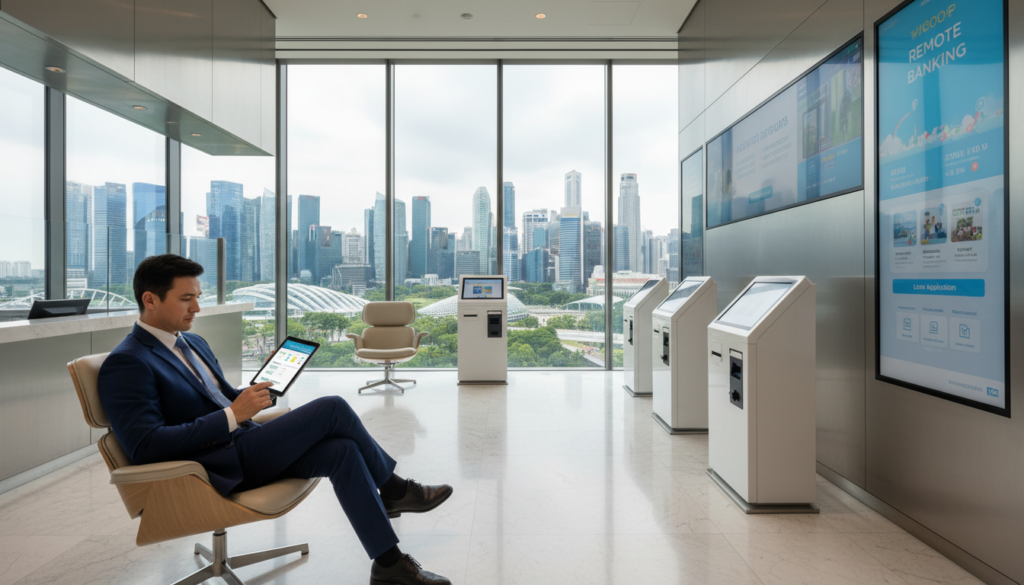
Traditional options to compare
DBS, OCBC, UOB and HSBC offer broad service coverage, strong local payment rails and established support. These banks suit salary crediting, local transfers and everyday savings.
OCBC stands out for multi-currency use via its Global Savings Account. It supports transactions in up to nine major currencies with no administrative fees, which helps if you move funds often.
Digital-first fintech choices
Aspire and Airwallex target faster onboarding and multi-currency business needs. They are ideal for entrepreneurs who want quick set-up and low FX costs.
How to choose
- Compare monthly fees, card and transfer fees and FX spreads to find real cost.
- Check minimum deposit and ongoing deposits — these affect value for new arrivals.
- Prioritise services you use daily: local transfers, bill payment, card access and support response.
If you need salary crediting and local payments, start with a traditional provider; if quick multi-currency access matters, shortlist a fintech; if you need both, compare fees and activation rules.
After approval: managing your account, money and transactions remotely
Once your application is approved, daily money management shifts to your mobile device.
Core mobile banking services
Success looks like an app that shows your balance, lets you make transfers and displays recent transactions. The card is active and you have full digital access to payment tools.
Set up these features straight away:
- Check balance and enable transaction alerts.
- Make payments and schedule regular transfers.
- Enable foreign exchange features if you handle multiple currencies.
Security first: bind your device, use strong passcodes, enable biometrics and confirm beneficiary details before large transfers.
Multi-currency banking in practice
Multi-currency accounts let you hold, receive and send funds in different currencies. Use FX tools in-app to compare rates and fees before converting.
When to convert: change money when rates are favourable or when you need local currency to avoid withdrawal fees. Fintech services often offer competitive FX for international transfers.
Card and cash management: activate the card in-app, set spending limits, enable overseas use and review card transactions weekly.
- Keep e-statements and document large transfers for compliance.
- Monitor minimum deposit or balance rules to avoid fees.
- Adopt a weekly remote banking routine: check balance, reconcile transactions, and update alerts.
Conclusion
Conclusion
Summary: Confirm eligibility, prepare the required documents, submit your application via a supported app, complete verification and activate the account to start transacting.
Choose a provider whose requirements match your residency and timeline to reduce the chance of a branch visit. Compare fees and product fit if you expect cross‑border transfers or will use multi‑currency features for work.
Quick checklist: passport photo, proof of legal status (if needed), recent address proof, clear scans and consistent name formatting. Respond promptly to any requests for extra information — approvals often need follow‑up.
If you get stuck, re‑check eligibility, try an alternative app route (for example OCBC Digital or HSBC EasyID/Myinfo where supported), or use a digital‑first provider temporarily. Pick one shortlist option, prepare your documents today and start the application while you have uninterrupted time for verification.
FAQ
What does the guide cover about opening a Singapore bank account remotely?
Why should I consider opening a local account remotely today?
What transactions can I perform with a local account?
When does remote account opening make sense for foreigners, students and new arrivals?
What are the main benefits of digital onboarding?
What eligibility rules do banks typically apply for foreigners?
How do I choose between savings, current, multi‑currency or investment‑linked options?
Are there situations where a branch visit is still required?
Which identity documents should I prepare for remote verification?
What proof of legal status do banks require?
What counts as acceptable proof of address for a Singapore residential address?
What additional paperwork might some banks request?
How do major bank apps handle remote applications?
What should I expect during digital identity verification?
What are the activation steps after approval?
Which traditional banks should I compare for remote options?
Which digital‑first alternatives are suitable for faster onboarding and multi‑currency needs?
How should I choose between banks and fintechs?
What core mobile banking services will I use after approval?
How does multi‑currency banking work in practice?

Dean Cheong is a Singapore-based B2B growth strategist and the CEO of VOffice. He helps companies scale revenue through sharper sales execution, CRM implementation, and go-to-market strategy, backed by a strong foundation in business banking and finance from Nanyang Technological University and a track record of driving sustainable, performance-led growth.