

Could a single weak password undo months of hard work and client trust?
This guide explains practical, present‑tense measures that protect company data, customer records and employee accounts when teams are working remotely.
The shift to hybrid and remote work lowers the corporate perimeter. Fewer network safeguards and more cloud apps increase exposure to common threats such as credential theft and ransomware.
We outline repeatable best practices that scale with headcount. Expect clear steps on secure access, identity controls like MFA, device hygiene, encryption, patching, home Wi‑Fi hardening and phishing awareness.
Our aim is simple: reduce data breaches and keep daily routines efficient. The playbook suits SMEs and larger organisations in Singapore that need pragmatic security controls without excess complexity.
Key Takeaways
- Adopt multi‑factor authentication and strong password managers to cut credential risks.
- Keep devices updated and use reputable antivirus to reduce malware threats.
- Encrypt sensitive data and enforce least‑privilege access to limit damage from breaches.
- Secure home networks and use VPNs where appropriate to bolster network security.
- Train staff on phishing and monitor systems to spot anomalies early.
Remote work security risks Singapore businesses must address
Distributed teams increase the number of entry points attackers can probe. This raises the chance of data breaches and low‑effort attacks that exploit easy weaknesses.
Why hybrid teams expand exposure
More endpoints operate off the office network. Cloud logins grow in number and staff rely on home internet and third‑party services, which raises network risk.
Common weak points while working remotely
Public Wi‑Fi in cafés, airports and co‑working hubs often lacks strong encryption. Attackers can intercept sessions or capture credentials when protections are weak.
Relaxed routines make matters worse. Saving passwords in browsers, ignoring update prompts, and sharing devices at home turn everyday habits into security breaches.
Shared responsibility and the human factor
Employees make daily security choices. IT can supply tools, but staff decide whether to open suspicious emails or install updates. That gap is where many attacks start.
“Phishing remains the most probable entry point: realistic emails and spoofed domains trick people into giving up credentials.”

| Risk | Typical cause | Potential outcome |
|---|---|---|
| Unsecured public Wi‑Fi | Open networks at cafés and hubs | Session hijack, credential theft |
| Poor device hygiene | No updates, weak passwords | Malware persistence, lateral movement |
| Phishing emails | Spoofed senders, urgent requests | Account takeover, data loss |
Next steps: identity and access controls — VPN, MFA, strong passwords and a Zero Trust approach — reduce risk fastest and will be covered next.
Cybersecurity for remote singapore business: secure access and identity controls
Controlling who and what can connect to company resources is the first line of defence. Access rules, strong authentication and encrypted tunnels keep data safe when employees connect from home or public spots.
Using a virtual private network to protect data on home networks and public Wi‑Fi
When to mandate a VPN: require a virtual private network on public Wi‑Fi and for any session that touches sensitive systems. A VPN encrypts traffic in transit and reduces interception risk on shared networks.

Managing VPN usage to avoid overload
Choose providers with broad server networks and consider tools such as NordVPN, ExpressVPN for strong encrypted tunnelling, and Cisco AnyConnect for enterprise integration. Monitor concurrent connections and use split tunnelling where appropriate.
Prioritise finance systems, admin portals and internal file shares so heavy browsing does not degrade critical services.
Multi‑factor authentication and password hygiene
Multi‑factor authentication protects applications even when passwords leak. Prefer app‑based authenticators such as Microsoft Authenticator, Duo Security and Google Authenticator over SMS.
Adopt a strong password policy: long passphrases, unique credentials per system, and change only when compromise is suspected. Use a password manager—LastPass, 1Password or Dashlane—to generate and store unique passwords and end unsafe practices like spreadsheets.
Zero Trust: verify every request
Zero Trust means every login, device and service request is verified based on identity, device posture and context. This reduces the blast radius when credentials are stolen and produces clearer audit trails for access.
“Identity controls and encrypted tunnels together cut unauthorised access incidents and limit damage when accounts are compromised.”
For detailed access control solutions, see top access control solutions.
Protect devices and data across endpoints, applications, and networks
Protecting endpoints, apps and home routers closes many of the gaps attackers try to exploit.

Endpoint baseline and proactive detection
Define a device baseline: approved antivirus software, routine anti‑malware scans and, where feasible, EDR to spot unusual behaviour.
Choose proven products such as Bitdefender, Kaspersky or McAfee Total Protection to simplify support and reduce admin overhead.
Patch management and system updates
Enable automatic updates for operating systems and key applications. Set clear SLAs for critical fixes so known vulnerabilities close quickly.
Encryption and full‑disk protection
Encrypt sensitive data at rest and in transit. Use BitLocker for Windows, FileVault for macOS and VeraCrypt for portable containers.
Require HTTPS/TLS for file transfers and remote sessions to bolster protection against interception.
Home router hardening and network separation
Harden home routers: change default admin passwords, enable WPA3 where supported, update firmware and turn on the built‑in firewall.
Create a separate guest SSID or VLAN to keep work devices away from smart toys and personal gadgets. This reduces lateral movement during breaches.
BYOD controls and secure collaboration
Regulate personal devices with MDM, enforce screen locks and require remote wipe for lost kit. Keep minimum OS levels and encryption mandatory.
Choose trusted collaboration tools with end‑to‑end encryption and strict access permissions for shared folders to limit accidental exposure.
Further reading: see the Zero Trust primer to align device rules with identity and access controls.
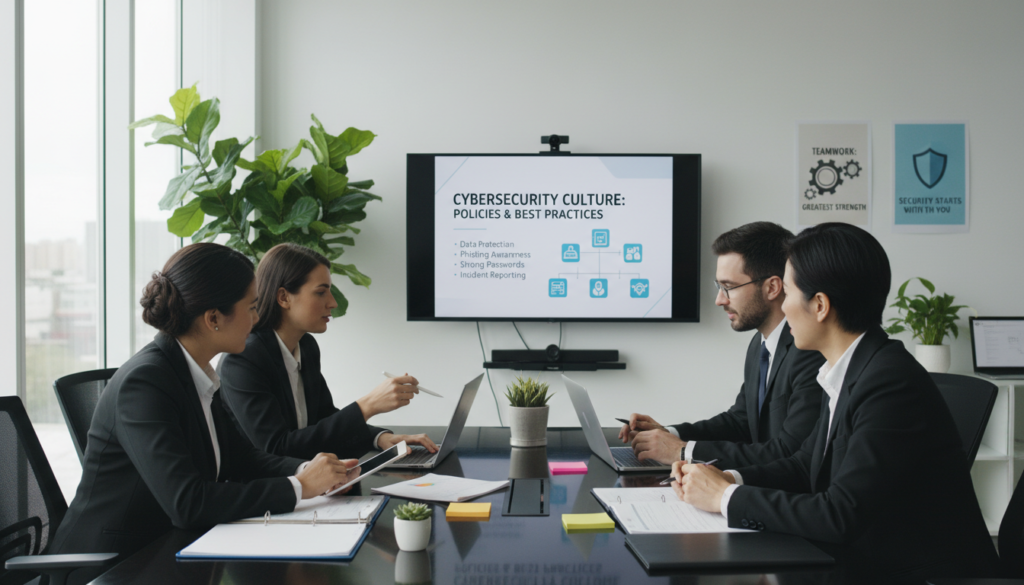
Build a security culture with policies, training, and ongoing monitoring
Clear rules, regular training and open reporting make security part of everyday work.
Begin with a concise data protection policy that defines acceptable use, approved tools, remote access requirements such as VPN and MFA, and the handling of sensitive information.
Make it operational: require staff acknowledgement, include policy steps in onboarding checklists and run periodic refreshers. State consistent, fair consequences so employees know expectations and outcomes.
Data protection policies that define acceptable use and consequences
Keep policies short and actionable. Use plain language and examples: no credential sharing, approved file‑sharing tools only, and mandatory encryption on devices.
Signatures matter: have employees sign to confirm understanding and include IT support contact details for quick help.
Phishing awareness training, simulated attacks and safe reporting
Deliver regular training that covers spoofed domains, risky attachments, credential‑harvesting links and urgent payment scams. Teach verification via a second channel before approving requests.
Use simulated phishing campaigns to measure readiness and tailor follow‑up training to teams with elevated privileges.
Encourage a safe reporting culture. Prompt reporting reduces dwell time and limits impact. Reward vigilance and avoid blame when staff report genuine mistakes.
| Area | What to include | Benefit |
|---|---|---|
| Policy scope | Acceptable use, VPN/MFA, approved apps | Clear expectations reduce unsafe choices |
| Operational steps | Onboarding checklist, signed acknowledgement, refreshers | Better compliance and measurable accountability |
| Training | Phishing simulations, verification procedures | Faster detection and reduced account takeover |
| Reporting | Anonymous or no‑blame reporting channels | Quicker incident response and learning |
Ongoing monitoring identifies unusual logins and device posture gaps. Communicate monitoring practices clearly to maintain trust and show the benefits of these measures.
Finally, treat culture as a force multiplier: well‑informed employees reinforce technical controls and shrink the window attackers need to cause harm. For team training and meeting facilities, consider adding practical sessions linked to meeting and training room rental.
Conclusion
A layered approach keeps systems usable while shrinking the window attackers can exploit.
Start with identity and access controls, then harden endpoints and data flows, and finally embed policy, training and monitoring.
Practical steps are clear: enable MFA everywhere, require a VPN on untrusted networks, deploy endpoint protection, enforce disk encryption and limit sharing permissions on collaboration tools.
Assign ownership: name who manages access, approves apps and handles incident reports. Review controls after major hires, new apps or policy changes so protection matches how people actually work.
Stronger protection reduces downtime, prevents costly incidents and preserves customer trust—letting flexible work continue without sacrificing core security and data safeguards.
FAQ
Why do remote and hybrid teams increase exposure to data breaches and attacks?
What are the most common weak points when staff work outside the office?
How does the human factor contribute to security incidents?
When should a business use a virtual private network (VPN)?
How can organisations manage VPN load and avoid performance problems?
Is multi‑factor authentication (MFA) necessary for cloud applications?
What makes a strong password policy, and should employees use password managers?
What is the Zero Trust approach and how does it help remote work security?
Which endpoint protections are essential for remote devices?
How often should systems and applications be updated?
When should data be encrypted, and what types of encryption are recommended?
How can employees secure their home Wi‑Fi routers?
Should organisations allow BYOD (bring your own device)?
How can teams collaborate securely on shared files and communication tools?
What should a clear data protection policy include for staff working from home?
How effective is phishing awareness training, and how often should it be delivered?
What immediate steps should an organisation take after a suspected breach involving a remote worker?
Which tools and services should companies consider to strengthen remote access security?
How can small firms balance cost with effective protection for staff working from home?

Dean Cheong is a Singapore-based B2B growth strategist and the CEO of VOffice. He helps companies scale revenue through sharper sales execution, CRM implementation, and go-to-market strategy, backed by a strong foundation in business banking and finance from Nanyang Technological University and a track record of driving sustainable, performance-led growth.