

Need to cut billing delays and get clearer revenue visibility without more spreadsheets?
Qashier Invoice Management places creation, sending and tracking in one hub to reduce paperwork and speed up collections. It ties invoice delivery to online payments and consolidated reporting so finance teams can see sales across channels at a glance.
Ricoh frames modern e-invoicing around four pillars — Digital, Touchless, Accurate and Compliant — to modernise billing and strengthen governance. This helps SMEs and growing teams manage multiple invoices without spreadsheet sprawl or paper trails.
On this page you will learn how to move from manual or PDF billing to digital workflows, what implementation and onboarding look like, and how audit-readiness and data controls keep exchanges secure.
What value will you get? Create, send, track, collect and report — all in one confident workflow. Ready to see how much time and revenue you can recover?
Key Takeaways
- Centralised invoice management reduces manual steps and delays.
- Digital and e-invoicing link invoices to online payments and reconciliation.
- Solutions suit SMEs and expanding teams handling many invoices.
- Compliance, audit-readiness and secure exchange are core priorities.
- Expect faster collections, stronger payment discipline and clearer revenue visibility.
Remote customer invoicing singapore business solutions built for faster payments
An integrated system for issuing and monitoring invoices reduces delays and confusion.

Reduce delays, errors and manual paperwork in your invoicing process
Teams that rely on PDFs and scattered tools spend hours on manual follow-ups. This slows the whole payments journey and creates friction for customers who want a simple way to settle bills.
A centralised system standardises creation and automates repetitive steps. That cuts administrative handling, removes duplicate entries and speeds up issue cycles.
“Sending invoices directly to the correct email address with clear payment steps makes it far easier for recipients to pay promptly.”
Improve cash flow with clear visibility of paid, unpaid and partial invoices
Qashier Invoice Management shows paid, unpaid and partially paid statuses in QashierHQ. Teams can prioritise collections and act with data, not guesswork.
- Fewer handoffs and clarifications mean you get paid faster.
- Real-time status updates let sales and finance work from the same page.
- Cleaner audit trails reduce disputes and support compliance.
| Challenge | Impact | How the system helps | Outcome |
|---|---|---|---|
| PDF billing | Slow follow-ups | Send digital invoice to email address | Faster payments |
| Disconnected tools | Data mismatch | Centralised tracking | Clear cash visibility |
| Manual paperwork | Duplication | Standardised templates & automation | Cleaner audit trail |
Why businesses in Singapore are moving from PDFs to e-invoicing

PDFs fragment the flow of invoice data, creating rework and blocking timely sign-offs. Ricoh notes that manual billing is labour‑intensive and often causes delays and inaccuracies. That cost shows up in lost hours and repeated fixes.
Cut costs by automating data entry and minimising rework
Re‑keying fields, resolving mismatches and chasing approvals drive direct costs. Each correction adds hours and can force documents to be reissued.
Automating data entry removes these loops and lowers operational costs across the whole invoicing process.
Increase accuracy with validated invoice data and fewer human errors
Validated data improves accuracy and reduces disputes, credit notes and delayed settlements. The result is cleaner records and stronger compliance.
Support teams with real-time status and touchless approval processes
Ricoh’s Touchless pillar automates approvals so work keeps moving when decision‑makers are apart. Real‑time status updates let teams spot exceptions fast and act before issues reach the buyer.
| Issue | Manual impact | E‑invoicing benefit |
|---|---|---|
| PDF edits | Reissues and delays | Single source of truth, fewer reprints |
| Data re‑keying | High labour cost | Automated capture, lower costs |
| Approval lag | Payment hold-ups | Touchless workflows, faster sign‑off |
Core capabilities of our invoice management and e-invoicing system
A unified hub streamlines invoice generation, distribution and tracking so teams act on the same data. This end-to-end approach covers creation, delivery, collection and reporting in one continuous workflow.
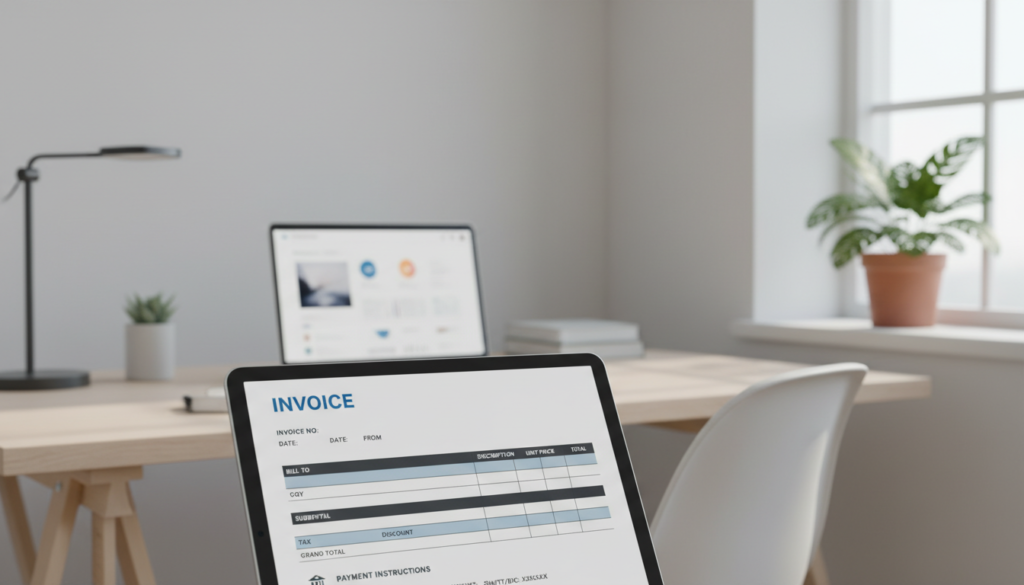
Create, send and track invoices from one platform
Qashier Invoice Management lets you generate invoices at the QashierPOS device or in QashierHQ, then send and monitor them without switching tools. Consistent invoice data reduces manual copying and clarifies ownership between sales and finance.
Issue e-invoices directly to customer email addresses
Sending e-invoices to email shortens time-to-receipt and presents a professional notice that recipients can act on immediately. Each message carries the same validated data to cut disputes and rework.
Accept online payments with a “pay now” button for quicker settlement
Every e-invoice includes a pay now button powered by QashierPay. Buyers can pay by card, PayNow or e-wallets so you match how people prefer to settle bills and help you get paid faster.
Consolidate payments into the same sales report for simple reconciliation
Paid invoices are recorded in the same sales report, removing manual reconciliation at month-end. Clear consolidation reduces errors and speeds up closing cycles.
Handle deposits and full payments for high-value services and items
The system supports deposits and full settlements for large-ticket items. That protects cash flow, reduces risk and keeps the payment journey straightforward for the buyer.
Digitise your end-to-end invoicing process for remote selling
A fully digital billing flow ensures invoices move from creation to payment with fewer handoffs and faster confirmations. This reduces manual escalations and keeps operations aligned across channels like chat, phone and live selling.

From invoice creation to payment confirmation with fewer touchpoints
Map the sales reality — sellers often close orders offsite or via social platforms. A clear invoicing process ties issuance to a visible payment status. That means fewer queries and quicker confirmations.
Touchless approval processes to protect internal resources
Touchless approvals automate sign-off rules so teams are not interrupted by routine checks. This protects resources by cutting repeated reviews and manual chasing.
Real-time tracking for customers, finance teams and operations
Live status updates show paid, unpaid and partial payments in one report. Teams can link payment confirmation to fulfilment, scheduling and service start dates. The result is fewer disputes and smoother handoffs for businesses.
- Fewer touchpoints: lower escalation and faster order fulfilment.
- Consistent data: reduces reconciliation time and frees finance resources for strategy.
- Clear payments status: helps teams answer queries fast and keeps service levels high for customers.
Secure, compliant e-invoices via a digital invoicing network
A secure digital network lets invoices travel in a controlled, auditable way from suppliers into your finance system.
Standardised access reduces reliance on emailed PDFs by creating a single channel for intake. Ricoh’s approach uses agreed access and standards so each supplier can connect in a way that suits them.
Standardised access that supports suppliers of all digital capabilities
The Supplier Portal accepts structured or simple uploads, so small vendors are not forced onto complex tooling. This makes onboarding faster and fairer for all suppliers.
Data quality controls designed to reduce downstream processing issues
Validation rules check fields, totals and GST before invoices enter systems. Fewer exceptions mean fewer re-approvals and fewer payment delays.
Audit-ready invoice handling to support governance and compliance needs
Compliant controls keep changes traceable and invoices audit-ready from day one. That strengthens governance for regulated or fast‑growing organisations.
- Lower AP costs through reduced corrections and reconciliation work.
- Straight‑through processing into finance systems for better reporting accuracy.
- Scalable network design that modernises invoice exchange while keeping security and compliance central.
For local GST requirements and e-invoice rules see the GST e-invoice requirement.
Built for the way Singapore businesses sell today
Selling across physical stores, events and social channels calls for an invoicing approach that keeps records consistent and payments fast.
Retail and brick-and-mortar: electronics, furniture and automotive
Large-ticket sales benefit from professional invoice templates and instant payment links. This cuts checkout friction for stores selling appliances, furniture or vehicles. Faster settlement reduces layaway risk and speeds fulfilment.
Service industries: hospitality, workshops and entertainment
Hotels, event organisers and repair workshops need deposit handling and milestone billing. Clear invoice trails support refunds, adjustments and regulatory checks with less manual work.
Freelancers and consultants
Freelancers such as designers and tailors get credible invoices, quick follow-up and simple tracking. That keeps admin light while preserving a professional image.
Online shops and live sellers
Streamers and social sellers on platforms like TikTok Shop, Shopee Live and Facebook Live can issue e-invoices immediately after a sale. Instant billing secures payment and avoids lost conversions.
One unified system reduces tool sprawl, keeps reporting consistent and scales with growth — more invoices, more customers and more payment methods without extra admin.
Supplier onboarding, validations and training to keep invoice processing clean
Accurate supplier master data forms the backbone of any reliable e-invoicing rollout. Clean records prevent routine mismatches and cut follow-up time. Start with a controlled onboarding plan to scale without extra admin.
Supplier data cleansing and connection to the e-invoicing network
Begin with supplier data cleansing: remove duplicates, standardise identifiers and confirm bank and postal address fields.
This foundation means each supplier record is usable from day one, reducing rework and downstream exceptions.
Business rules and validations to block duplicates and mismatches
Apply rules that accept only registered suppliers, check PO formats and flag duplicate invoices. Match PO to supplier and validate totals before acceptance.
Practical invoice checks finance teams expect
- GST accuracy and invoice total match
- Supplier bank details and email address validity
- PO format and supplier–PO reconciliation
Remote training to accelerate adoption
Link4 Support Services offers remote training sessions up to 2 hours for up to 8 participants. These sessions speed user confidence and consistent daily use across your organisation.
Ricoh and Link4 provide managed onboarding and automated validation/correction. With support for 5,000+ users over 7+ years, teams gain faster time-to-value and fewer errors.
For practical implementation advice see our invoice processing guide.
Implementation and managed services that fit your organisation
A clear, staged rollout keeps operations running while the new system embeds into daily routines.
Advisory and design to map needs, workflows and approval processes
Start with focused workshops that document objectives, barriers and approval paths. Ricoh’s advisory phase aligns stakeholders and defines what success looks like for the business.
Outcomes: mapped workflows, defined roles and a prioritised list of technical and process needs.
Build and deploy with minimal disruption to day-to-day operations
The build phase uses phased rollouts, integration checks and user enablement to reduce downtime. Pilot groups validate configurations so the wider rollout runs smoothly.
User training and clear cutover plans mean teams can keep working without surprise interruptions.
Manage and support for continuous optimisation and reliability
Managed services include monitoring, proactive support and rule refinement as volumes grow. This protects data integrity so reporting and reconciliation stay accurate during change.
- Ongoing optimisation to improve throughput and reduce exceptions.
- Service-level support to minimise backlog and operational risk.
- Predictable operating model for faster time-to-value post go‑live.
“Implementation is a structured engagement, not a tool drop — it reduces risk and delivers measurable adoption.”
Conclusion
Moving invoice work into a managed portal removes chase time and brings clearer receivables.
Switching from PDFs to e-invoicing improves speed, accuracy and visibility so your cash position strengthens. Issue each invoice quickly, reduce follow-ups and help teams get paid faster with instant pay links.
The digital network and built‑in validations keep exchange secure, standardised and audit‑ready as volumes rise.
Enablement is simple: QashierHQ opt‑in can be active within 48 hours. You need a subscription that includes card acceptance. Pricing: no setup fee, $20/month subscription add‑on and card processing at 3.0% + $0.30 per transaction on a pay‑as‑you‑use basis.
Ready to streamline billing and get paid with less friction? See our virtual office services to check fit and next steps.
FAQ
What solutions help reduce delays, errors and manual paperwork in the invoicing process?
How can I get better visibility of paid, unpaid and partial invoices to improve cash flow?
Why are many firms moving from PDF invoices to e-invoicing?
Can e-invoicing support suppliers with different digital capabilities?
How do “pay now” buttons and online payments speed up settlement?
What controls reduce duplicate invoices and mismatches?
How can I keep invoice processing secure and audit-ready?
What are the benefits of touchless approval processes?
How do real-time tracking and notifications support remote teams and buyers?
What services are available to help with supplier onboarding and training?
How does the system handle deposits and full payments for high-value services?
What implementation and managed services help minimise disruption?
Can the invoicing system consolidate payments into a single sales report?
How are data quality issues handled to reduce downstream processing problems?

Dean Cheong is a Singapore-based B2B growth strategist and the CEO of VOffice. He helps companies scale revenue through sharper sales execution, CRM implementation, and go-to-market strategy, backed by a strong foundation in business banking and finance from Nanyang Technological University and a track record of driving sustainable, performance-led growth.